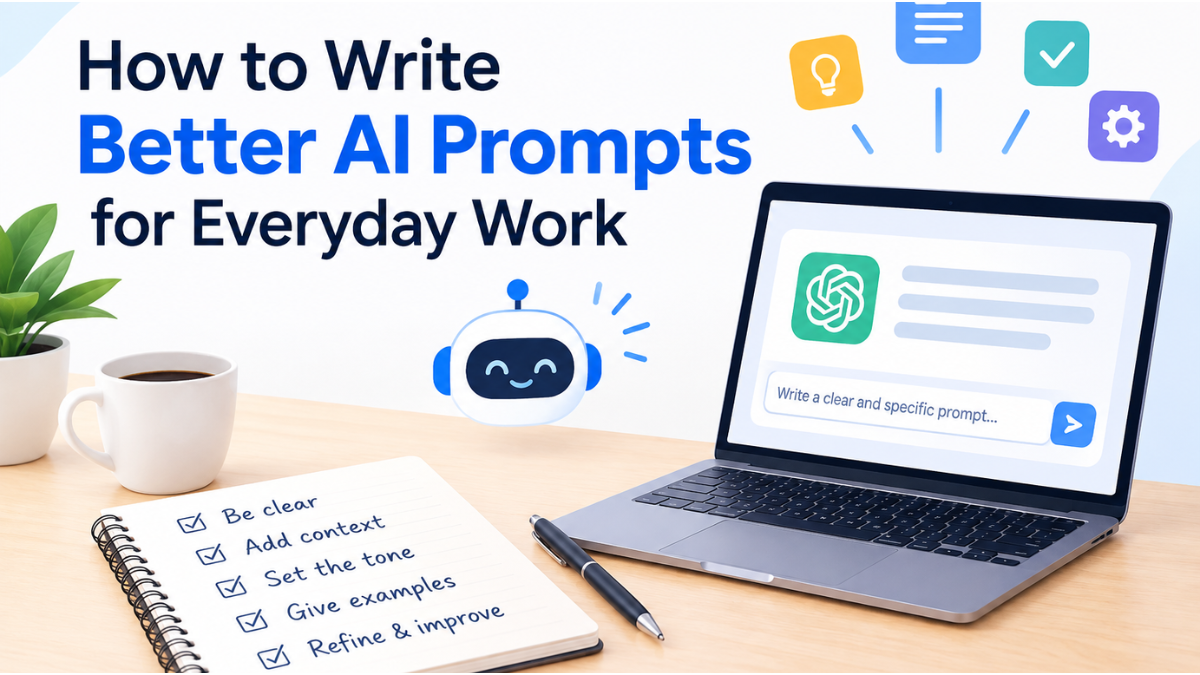
Mastering How to Write Better AI Prompts for Everyday Work transforms artificial intelligence from an unpredictable draft generator into a dependable daily co-pilot. Knowing how to structure instructions cuts drafting time by up to 70%, eliminates back-and-forth iteration, and ensures outputs meet professional standards on the first attempt. Whether drafting executive memos, analyzing customer feedback, or generating project roadmaps, structured workplace prompt engineering ensures consistency, accuracy, and brand alignment across your entire workflow.
Required Tools & Prerequisites
Before building structured prompts, assemble the following tools and materials:
- Large Language Model (LLM) Platform: Access to enterprise or consumer AI tools such as ChatGPT, Anthropic Claude, Google Gemini, or Microsoft Copilot.
- Centralized Prompt Repository: A lightweight text editor, Notion database, or team wiki to store and share AI productivity prompt templates.
- Reference Work Samples: High-quality past deliverables (e.g., prior emails, status reports, executive summaries) to use as reference benchmarks.
- Defined Task Objectives: Clear knowledge of the desired outcome, target audience, and key constraints before typing a single character.
Step-by-Step Instructions: How to Write Better AI Prompts for Everyday Work
Follow this step-by-step workflow to transition from vague, single-line queries to repeatable, professional-grade AI prompts.
1.Define Persona, Audience, and Task Context:
Step 1 of 5: Grounding the AI’s perspective.
Define exactly who the AI represents, who will read the output, and what specific problem is being solved.
- Persona: “You are a Senior Technical Project Manager with 10 years of experience in enterprise software.”
- Audience: “Your target audience is C-suite executives who value concise, data-driven decisions.”
- Context: “We are mid-way through a platform migration that is currently 3 days behind schedule due to third-party API integration delays.”
Screenshot / Visual Placeholder:
[UI Mockup: ChatGPT/Claude input box showing a clean context block separated by clear headings: Persona, Audience, and Situation]
2.Apply a Proven Prompt Framework (CRAFT or RTF):
Step 2 of 5: Structuring for predictability.
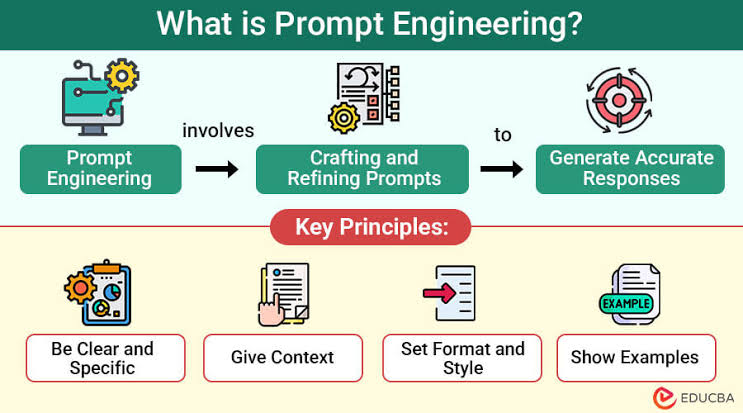
Avoid writing unstructured paragraphs. Use a tool-agnostic framework like CRAFT (Context, Role, Action, Format, Tone) or RTF (Role, Task, Format) for daily tasks.
The CRAFT Framework Breakdown
- C – Context: Background facts and situation.
- R – Role: The expertise or vantage point the AI assumes.
- A – Action: The exact task to execute.
- F – Format: The structural deliverable (e.g., table, bullet list, executive summary).
- T – Tone: The voice and communication style (concise, authoritative, empathetic).
Example Template (Copy-Paste Ready)
Plaintext
Context: We received 15 customer feedback tickets reporting confusion during account onboarding.
Role: Senior User Experience Researcher.
Action: Analyze the feedback below and extract the top 3 friction points with recommended fixes.
Format: A 3-column markdown table (Issue | Impact | Recommended Solution).
Tone: Direct, analytical, and action-oriented.
3.Enforce Explicit Formatting Rules & Negative Constraints:
Step 3 of 5: Eliminating fluff and undesirable outputs.
State what the AI must do and what it must not do. Negative constraints prevent generic filler language.
- Length Constraints: “Limit the response to fewer than 250 words” or “Keep each bullet point under 15 words.”
- Style Constraints: “Avoid marketing buzzwords like ‘synergy’, ‘game-changer’, or ‘seamless’.”
- Structure Rules: “Use standard Markdown bullet points. Do not include introductory warm-ups (e.g., ‘Sure, here is your summary’).”
Screenshot / Visual Placeholder:
[UI Comparison: Left panel shows default AI response filled with conversational warm-up filler; Right panel shows crisp, constraint-enforced output starting directly with the data table]
4.Provide Reference Examples (Few-Shot Prompting):
Step 4 of 5: Calibrating style and output structure.
Provide 1 to 2 exemplary outputs within the prompt to guide the AI’s formatting and style. This technique—known as few-shot prompting—significantly boosts consistency.
Plaintext
Follow the exact style and formatting of this example:

[EXAMPLE OUTPUT]
- **Risk:** Vendor delay on API endpoints
  - **Impact:** High (Blocks sprint 4 launch)
  - **Mitigation:** Reallocate 2 frontend devs to mock data layer by Thursday.
[END EXAMPLE]

Now, apply this format to the following meeting notes: [Insert raw notes]
5.Execute, Evaluate, and Refine Iteratively:
Step 5 of 5: Polishing the final deliverable.
Treat the initial response as a dynamic starting point rather than a final product. Inspect the result against four key criteria: Accuracy, Relevance, Tone, and Completeness.
- If too verbose: Reply with: “Condense this by 40% and convert the second section into a bulleted list.”
- If too technical: Reply with: “Rewrite this summary for a non-technical sales director.”
- If lacking depth: Reply with: “Expand on step 2, adding specific potential risk factors.”
Troubleshooting & Common Pitfalls
| Common Pitfall | Why It Causes Failure | How to Fix It |
| Vague Directives (e.g., “Make this better”) | Gives the AI too many paths, leading to arbitrary stylistic changes. | Provide concrete instructions: “Revise to use active voice, shorten sentences to under 20 words, and emphasize ROI.” |
| Context Window Pollution | Combining multiple unrelated projects in one chat causes context drift and hallucinations. | Open a new chat thread for every distinct project or topic to reset the context memory. |
| Unchecked Hallucinations | AI models generate plausible-sounding facts when lacking accurate source data. | Add strict boundaries: “Base your answer strictly on the provided text. If the text does not contain the answer, explicitly state ‘Not provided’.” |
| Prompt Bloat | Dumping walls of unstructured text confuses the model’s instruction hierarchy. | Use clear section dividers (---, Markdown headers, or tagged blocks like <context>) to separate instructions from source data. |
Building an Actionable Workplace Prompt Library
Once a prompt consistently yields high-quality outputs, document it in a centralized AI prompt library for personal or organizational use.
Sample High-Value Work Templates
1. Executive Meeting Summarizer
Plaintext
Role: Executive Assistant.
Task: Summarize the attached meeting transcript into an actionable post-meeting brief.
Format:
- ## Key Decisions Made (Max 3 bullets)
- ## Action Items (Table: Task | Owner | Due Date)
- ## Open Questions (Unresolved items needing follow-up)
Constraint: Do not summarize casual chatter or intro banter.
2. Project Risk & Dependency Extractor
Plaintext
Role: Senior Risk Analyst.
Task: Review the project update below and identify potential delivery risks.
Format: Categorize risks into High, Medium, and Low severity. For each risk, specify:
1. Root Cause
2. Affected Stakeholders
3. Recommended Immediate Action
Constraint: Only highlight risks explicitly supported by the text.
Continuous Mastery & Next Steps
Mastering How to Write Better AI Prompts for Everyday Work is an ongoing practice of refinement, experimentation, and systematic library building. Shifting from conversational, single-line queries to structured frameworks like CRAFT and RTF eliminates hours of unnecessary editing and ensures high-value AI deliverables every time.
To put this into practice immediately:
- Adopt 2 Core Frameworks: Start using the CRAFT framework for detailed documents and the RTF framework for quick daily tasks.
- Create Your Prompt Scrapbook: Save your top 3 most successful prompts in a shared team document or notes application.
- Audit Your Output Quality: Always review AI results for factual accuracy, tone alignment, and specific domain nuances before publishing.
1 thought on “How to Write Better AI Prompts for Everyday Work”