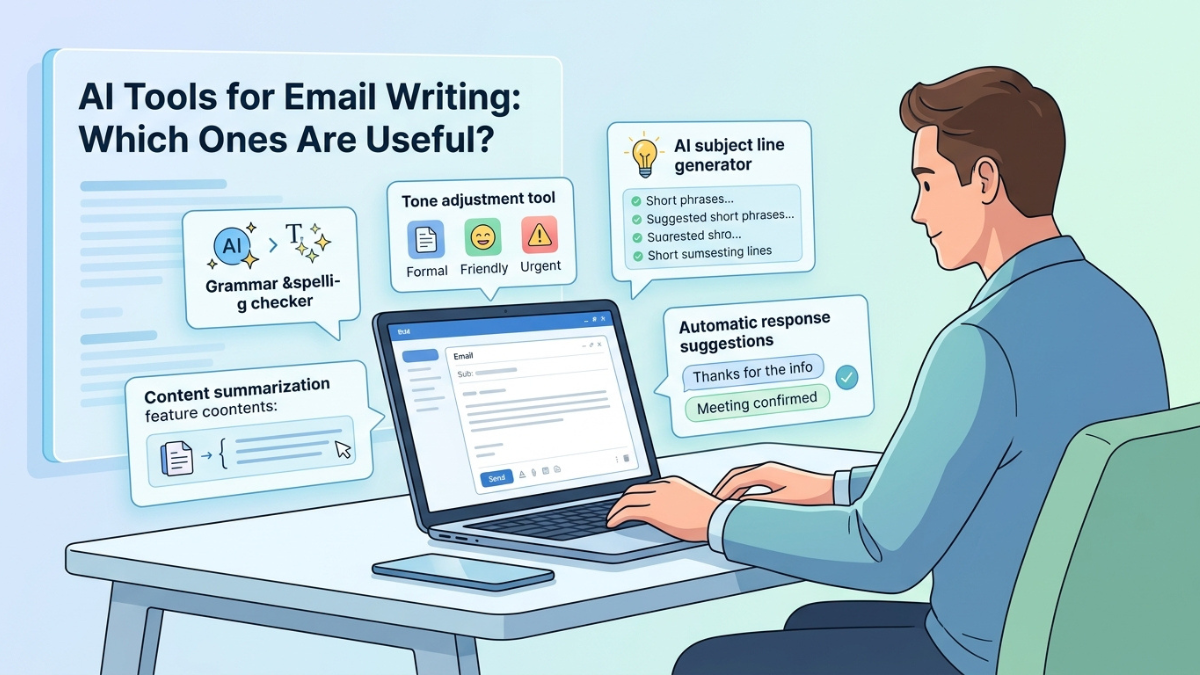
Looking for the best AI tools for email writing? Explore our ultimate guide to the top free and paid AI email assistants for Gmail, Outlook, sales outreach, and inbox productivity in the US.
The average professional in the United States spends more than three hours every day reading, drafting, and managing workplace emails. Between navigating crowded inboxes, balancing client communications, and maintaining a polished tone across dozens of daily messages, email friction remains one of the largest drains on workplace productivity.
Artificial intelligence has rapidly shifted from a novelty to an indispensable workplace assistant. Modern generative AI models do far more than offer basic autocorrect—they analyze multi-turn email threads, mirror your personalized voice, generate context-aware replies in seconds, and eliminate writer’s block. However, with hundreds of applications flooding the market, determining which AI tools for email writing are actually worth your time and money can be overwhelming.
This guide provides an in-depth breakdown of the most effective AI email tools available today, comparing free platforms, enterprise integrations for Microsoft Outlook and Google Workspace, sales outreach tools, and community-tested favorites.
How AI Email Assistants Work
Modern AI email assistants rely on Large Language Models (LLMs) and Natural Language Processing (NLP) to read, structure, and draft written text. Rather than providing static templates, these platforms evaluate the context of your conversation to generate personalized responses.
Key underlying technologies include:
- Thread Contextualization: AI models scan previous messages in an email thread to extract action items, deadlines, and key decisions.
- Tone & Style Matching: Advanced tools analyze your sent folder to adapt to your specific vocabulary, conciseness, and formality level.
- Retrieval-Augmented Generation (RAG): Enterprise tools connect directly to your company’s internal documentation or CRM (such as Salesforce, HubSpot, or Google Drive) to pulled verified dates, pricing, or project status updates into your email draft.
Workspace Native Tools: AI Email Assistant for Gmail & Outlook
For millions of users in the US corporate landscape, the most convenient AI tools are those already baked directly into primary email clients: Google Workspace and Microsoft 365.
Google Gemini in Gmail
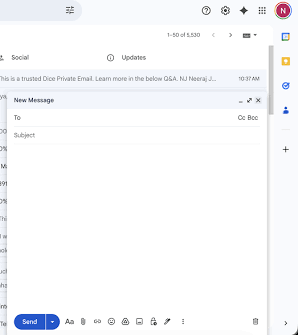
If your organization relies on Google Workspace, Gemini acts as your primary AI email assistant for Gmail. Located right inside your compose window and inbox sidebar, Gemini offers a feature called “Help Me Write”.
- Key Strengths: Gemini scans long email chains and generates brief summaries or draft context-aware replies. You can quickly adjust tone using built-in options like Formalize, Shorten, Elaborate, or Polish.
- Best For: Google Workspace subscribers who want seamless, no-plugin AI assistance directly within Gmail.
Microsoft Copilot in Outlook
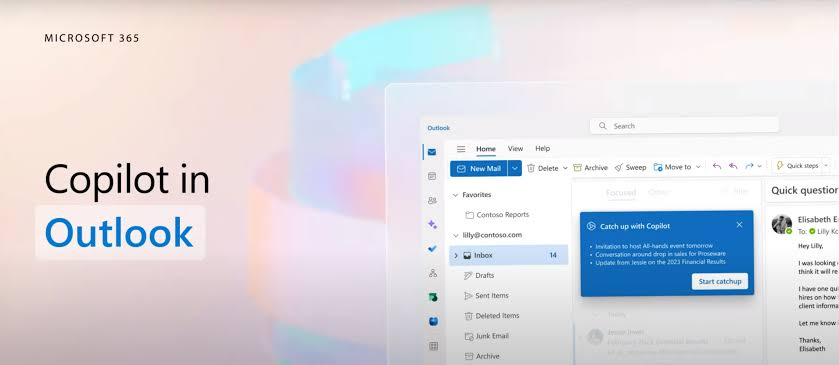
For enterprise environments running on Microsoft 365, Microsoft Copilot is widely considered the best AI email assistant for Outlook.
- Key Strengths: Copilot integrates with Microsoft Graph. It doesn’t just read the email thread—it pulls information from your Outlook Calendar, Teams chats, and Word documents to compose contextually accurate updates.
- Standout Feature: “Catch up with Copilot” synthesizes massive 20-message email threads into bullet-pointed action items.
- Best For: Corporate executives, project managers, and enterprise teams operating in Microsoft ecosystems.
Best Free AI Tools for Email Writing
If you are looking for free AI tools for email writing, you do not need an enterprise budget to automate your inbox routines. Several platforms offer powerful free tiers that handle everyday drafting and proofreading tasks.
| Tool | Free Plan Capabilities | Ideal Use Case | Supported Platforms |
| ChatGPT (GPT-4o) | Generates emails from quick bullet points, refines tone, translates languages | General email drafting via browser/mobile app | Web, iOS, Android |
| Claude 3.5 Sonnet | Writes exceptionally human-sounding, nuanced, and empathetic emails | Sensitive, long-form, or complex business communications | Web, iOS, Android |
| Grammarly Free | Real-time grammar checking, basic tone suggestions, and 100 monthly AI prompts | Quick proofreading and lightweight drafting | Browser extensions, Desktop app |
| Spark Mail | Free AI summaries, email triage, and quick smart replies on mobile/desktop | Cross-platform inbox management on a budget | iOS, Android, Mac, Windows |
When evaluating AI tools for email writing which ones are useful free, starting with dedicated web-based models like ChatGPT or Claude gives you maximum control over length and structure. However, browser extensions like Grammarly save time by working directly within your active text box.
Dedicated Sales & Cold Email Assistants
Writing cold outreach or sales proposals requires a specialized approach. Sales emails must be concise, personalized, and designed to generate high response rates. Generic AI responses rarely convert prospects.
Lavender: Real-Time Sales Coaching
Lavender functions as an AI email coach designed specifically for revenue teams. Instead of just drafting text, it analyzes your prospect’s LinkedIn profile and assigns your email a score from 0 to 100 based on factors like reading time, question count, and mobile optimization.
- Why It’s Useful: It actively prevents you from sending overly long, pushy, or complex outreach messages.
- Integrations: Gmail, Outlook, HubSpot, Salesloft, and Outreach.
Copy.ai & Jasper AI
For marketing teams executing bulk outreach campaigns, tools like Copy.ai and Jasper generate multi-step email sequences, subject line variations, and call-to-action (CTA) frameworks designed to maximize open and click-through rates.
Executive & Power-User Email Clients
For high-volume communicators receiving over 100 messages a day, standalone AI-native email clients offer built-in workflow speed.
Superhuman AI
Superhuman is built around speed. Its integrated AI allows users to convert brief notes into full emails, instantly draft contextual replies, and auto-summarize conversations using keyboard shortcuts.
- Target Audience: Executives, founders, and power users willing to pay a premium subscription for maximum time savings.
Shortwave
Designed by former Google engineers, Shortwave transforms Gmail into an AI-driven, chat-like experience. Its “Ghostwriter” feature learns your unique style by analyzing your sent items. It also features robust semantic search across your entire inbox history.
Tone, Clarity, and Polishing: Writing Enhancement Tools
Sometimes you don’t need an AI to write an email from scratch; you just need it to polish what you’ve already written.
Grammarly AI (GrammarlyGo)
Grammarly has evolved from a simple spellcheck tool into an end-to-end writing assistant. Its desktop and browser overlays evaluate the emotional resonance of your text—detecting whether your message sounds overly abrupt, timid, or confident.
- Tone Adjustment: Transform a quick, blunt note into a polite, executive-ready update with one click.
- Contextual Suggestions: Rephrases wordy sentences to keep emails clear and easily scannable on mobile devices.
What Reddit Users Recommend: Community Insights
When searching for the best AI for writing emails Reddit communities like r/Productivity, r/Sales, and r/ArtificialIntelligence offer grounded, real-world recommendations.
Key takeaways from community consensus include:
- Avoid Raw AI Output: Reddit users overwhelmingly warn against sending unedited AI outputs. Phrases like “I hope this email finds you well,” “In today’s fast-paced environment,” or “Delve into” immediately signal to recipients that an email was automated.
- ChatGPT & Claude Prompts for Free Use: Many power users prefer setting up custom system instructions in ChatGPT or Claude over paying for specialized email add-ons.
- Shortwave & Spark for Mobile: For inbox triage, Reddit discussions heavily endorse Shortwave and Spark Mail for their intelligent thread grouping and fast AI summarization on iOS and Android devices.
Key Features to Look For When Choosing an AI Email Tool
Before committing to a subscription, evaluate potential best AI tools for email writing against these critical benchmarks:
- Security & SOC 2 Compliance: Email data often contains sensitive corporate information, financial records, or personal data. Ensure the tool provider is SOC 2 Type 2 certified and explicitly guarantees that customer data is not used to train public AI models.
- Context Awareness: The tool should be able to read previous thread history rather than forcing you to copy and paste context manually.
- Custom Tone & Voice Memory: Look for tools that analyze your past sent messages to replicate your authentic communication style.
- Platform Compatibility: Confirm whether the tool works across web browsers, desktop clients (Outlook/Mac Mail), and mobile devices.
Real-World Practical Examples & Prompt Workflows
To get the best results from any best AI for email writing free or paid tool, your input prompt matters immensely. Below are two practical workflows showing raw drafts vs. AI-optimized outputs.
Example 1: Pushing Back on a Project Deadline
The Weak Prompt:
“Write an email telling my boss I can’t finish the quarterly report by Friday.”
The Engineered Prompt:
“Draft a professional, solution-oriented email to my manager. Explain that due to pending data inputs from the sales team, the quarterly report will be delayed by two days. Propose delivering a preliminary draft on Friday and the finalized report on Tuesday. Keep the tone proactive and confident.”
Resulting Email Draft:
Subject: Update: Revised Timeline for Q3 Report Delivery
Hi Sarah,
I wanted to provide a quick update regarding the upcoming Q3 report schedule.
While the analysis is largely complete, we are currently waiting on final revenue inputs from the regional sales team to ensure full accuracy. To accommodate this data, I propose the following timeline:
- Friday, Oct 6: I will send over a preliminary draft featuring our current core findings.
- Tuesday, Oct 10: I will deliver the finalized, fully audited report.
This brief adjustment ensures our final figures are completely verified before leadership review. Please let me know if this structure works for you.
Best regards,
Alex
Example 2: Following Up with a Cold Sales Prospect
Prompt Template for Sales Outreach:
“Rewrite this 200-word product pitch to be under 80 words. Focus on a single clear pain point (reducing customer support ticket resolution time by 30%), include one social proof data point, and end with a low-friction question.”
Pitfalls and Best Practices
While AI email assistants save substantial time, over-relying on them without human oversight creates distinct risks:
- The “Generic AI Voice”: Without specific tone prompts, language models rely on overly formal, flowery, or mechanical phrasing. Always review drafts to ensure they sound like you.
- Hallucinations: AI assistants can occasionally invent facts, misread numerical figures in attachments, or cite incorrect dates. Double-check all dates, times, and financial data before hitting send.
- Privacy Leaks: Never paste proprietary trade secrets, passwords, or personal health/financial info into unvetted free third-party browser extensions.
Conclusion & Next Steps
Finding the right AI tool for email writing comes down to your specific inbox workflow:
- For General Productivity on a Budget: Start with ChatGPT or Claude 3.5 Sonnet combined with Grammarly Free.
- For Integrated Corporate Workflows: Upgrade to Google Gemini in Gmail or Microsoft Copilot in Outlook.
- For Sales Outreach: Test Lavender to score and optimize your cold outreach copy.
- For High-Volume Inbox Triage: Try Shortwave or Superhuman.
By pairing clear prompt engineering with human oversight, you can reduce email drafting time by up to 50% while maintaining clear, professional communication.