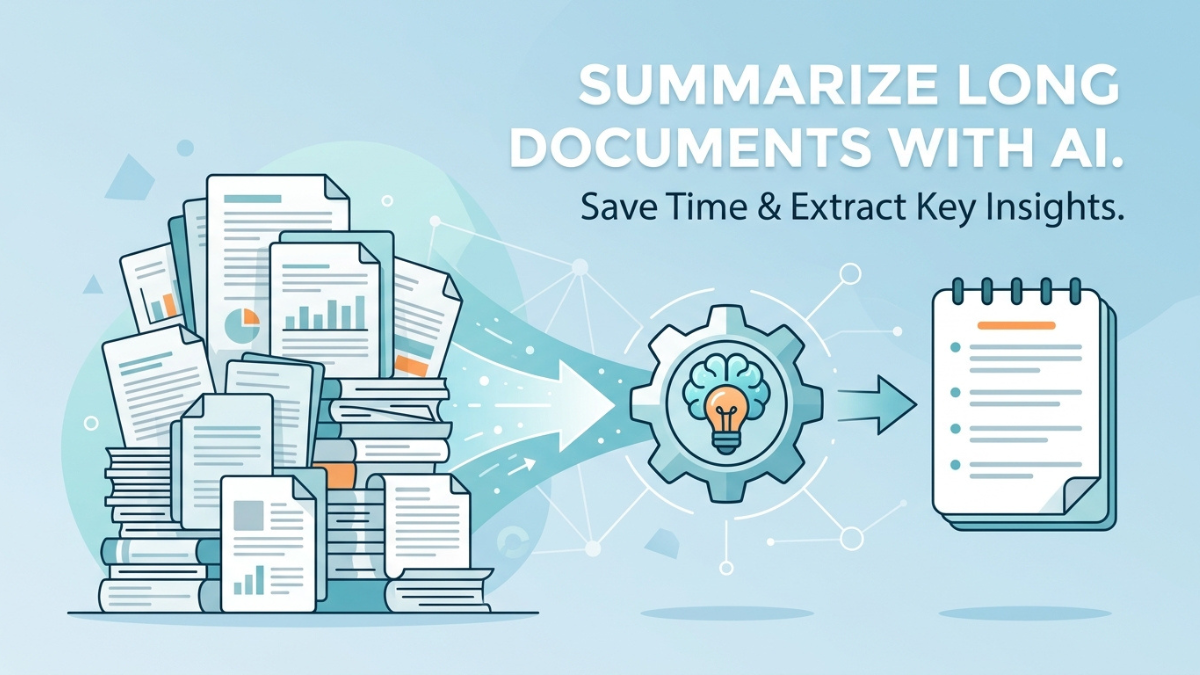
If you’ve ever stared at a 40-page research paper, a dense legal contract, or a report the size of a small novel and thought, “I don’t have time for this,” you’re not alone. The average knowledge worker now spends hours every week just reading through documents to find the handful of sentences that actually matter.
That’s exactly the problem AI summarization tools were built to solve. Instead of skimming, highlighting, and re-reading, you can now feed a document into an AI model and get a clean, accurate summary in seconds. But not all summaries are created equal — and knowing how to use these tools properly is the difference between a summary you can trust and one that quietly leaves out the one detail you needed.
In this guide, we’ll walk through exactly How to Use AI to Summarize Long Documents, how to do it step by step, which tools are worth using, and the mistakes that trip up most beginners.
Why Summarizing Long Documents Manually Doesn’t Scale
Before AI, summarizing a long document meant one of two things: reading the whole thing yourself, or skimming it and hoping you didn’t miss anything important. Both approaches have real costs.
Manual summarization is slow. A single 30-page report can take 45 minutes to an hour to read properly, and that’s before you even start writing notes. For students, researchers, lawyers, analysts, and content teams who deal with dozens of documents a week, that adds up to entire workdays lost to reading alone.
It’s also inconsistent. Two people summarizing the same document will pull out different points depending on what they consider important, how tired they are, or how much time they have. That inconsistency becomes a real problem when summaries are used to make decisions — in business, in research, or in law.
AI removes both of these bottlenecks. A well-prompted AI model can process a lengthy document in seconds and produce a summary that’s consistent, structured, and tailored to exactly what you asked for.
How To Use AI Document Summarization Actually Works
To use these tools well, it helps to understand what’s happening behind the scenes. AI summarization generally falls into two categories.
Extractive summarization works by scanning the original text and pulling out the sentences or phrases that seem most important, then stitching them together. It’s fast and stays close to the source wording, but it can feel choppy since it’s not generating new sentences — just selecting existing ones.
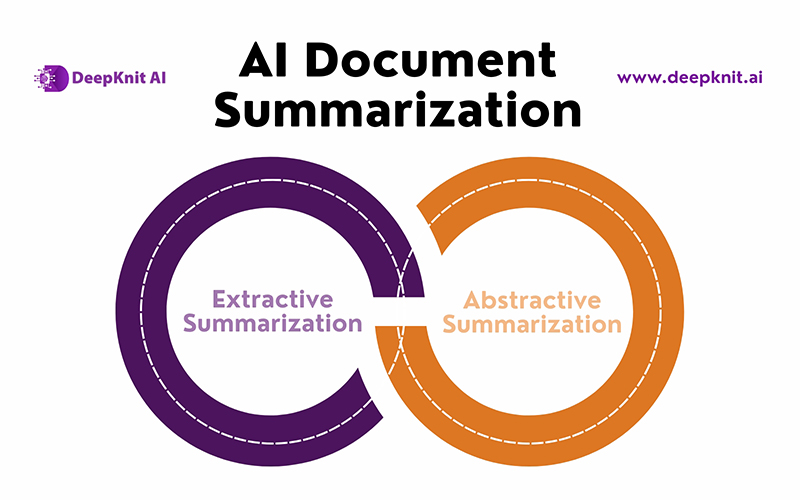
Abstractive summarization is what most modern AI tools (like Claude, ChatGPT, and Gemini) do. Instead of copying sentences, the model actually reads and “understands” the document, then generates entirely new sentences that capture the meaning. This produces summaries that read naturally, almost like a person wrote them, and it’s why large language models have become the go-to choice for this task.
Modern AI models are trained on massive amounts of text, which allows them to recognize structure, identify the main argument of a document, distinguish supporting details from the core message, and adjust the summary’s length, tone, and format based on what you ask for.
Step-by-Step: How to Summarize a Long Document with AI
Here’s a practical workflow you can use with any major AI assistant, whether that’s Claude, ChatGPT, or another tool.
Step 1: Choose the Right Tool for Your Document
Not every AI tool handles long documents the same way. Some have limits on how much text you can paste in at once, while others let you upload the file directly (PDF, Word, or text) and work with it natively. If your document is very long — think hundreds of pages — look for a tool that explicitly supports large context windows or direct file uploads, rather than copy-pasting text into a chat box.
Step 2: Upload or Paste the Document
Most AI assistants now let you drag and drop a PDF, DOCX, or TXT file directly into the chat. This is almost always better than copy-pasting, because formatting, headings, and page structure often get preserved, which helps the AI understand the document’s organization.
Step 3: Give a Clear, Specific Prompt
This is the step most people rush through, and it’s the one that matters most. A vague prompt like “summarize this” will get you a generic, one-size-fits-all summary. A specific prompt gets you something genuinely useful.
Instead of a blanket request, try something like:
- “Summarize this report in 200 words, focusing on the financial risks mentioned.”
- “Give me a bullet-point summary of the key findings and methodology from this research paper.”
- “Summarize this contract and flag any clauses related to termination or liability.”
The more context you give the AI about your purpose, audience, and desired format, the more useful the output will be.
Step 4: Specify the Format You Want
AI tools can output summaries as short paragraphs, bullet points, executive summaries, or even structured tables. If you’re summarizing for a presentation, ask for bullet points. If you need something to paste into an email, ask for a short paragraph. If you’re comparing multiple documents, ask for a table format so the information lines up side by side.
Step 5: Ask Follow-Up Questions
One of the biggest advantages AI has over static summarization tools is that you can have a conversation about the document afterward. If the summary raises a question, or you want more detail on one section, just ask. This turns a one-time summary into an ongoing research assistant that already has full context on your document.
Step 6: Verify Important Details
AI summaries are generally accurate, but for anything high-stakes — legal, medical, financial, or academic — always cross-check key facts, numbers, and quotes against the original document. Treat the AI summary as a strong first draft or a map of the document, not a replacement for reading the critical sections yourself.
Best Practices for Getting High-Quality AI Summaries
A few habits separate people who get mediocre summaries from those who get genuinely excellent ones.
Be specific about length. Instead of leaving it open-ended, specify a word count, paragraph count, or bullet count. “Summarize in 3 bullet points” produces a very different (and often more useful) result than “give me a summary.”
Tell the AI who the summary is for. A summary written for a CEO who wants the bottom line looks very different from one written for a colleague who needs technical detail. Mentioning your audience upfront shapes the tone and depth of the output.
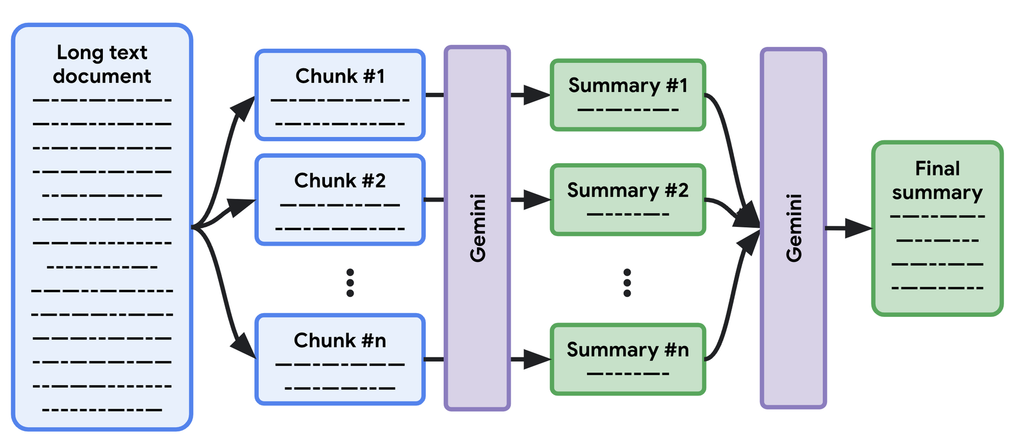
Break up extremely long documents. If a document is exceptionally long or covers many unrelated topics, consider summarizing it in sections and then asking the AI to combine those section summaries into one cohesive overview. This tends to produce more accurate results than asking for one summary of an enormous, sprawling document all at once.
Ask for structure, not just prose. Headers, bullet points, and short sections make summaries far easier to scan later. Don’t be afraid to ask for a specific structure, like “Overview, Key Findings, Risks, Next Steps.”
Iterate. If the first summary misses something, don’t start over — just ask the AI to revise it. “Make this shorter,” “add more detail on the budget section,” or “rewrite this in a more formal tone” all work well as follow-ups.
Popular AI Tools for Summarizing Long Documents
Several AI assistants handle document summarization particularly well, each with its own strengths:
- Claude is well suited to long documents thanks to its large context window, and it tends to preserve nuance and structure well when summarizing lengthy reports, research papers, or legal text.
- ChatGPT is widely used for quick summaries and works well for shorter to mid-length documents, with strong support for follow-up questions.
- Gemini integrates closely with Google Workspace, making it convenient for summarizing Google Docs, Sheets, and Gmail threads directly.
- Notion AI and similar built-in assistants are useful if your documents already live inside a note-taking or project management tool, since they can summarize without needing to export anything.
The right choice usually comes down to where your documents already live and how long they are, more than any single tool being universally “the best.”
Real-World Examples of AI Summarization in Action
Students and researchers use AI to condense academic papers into digestible summaries before deciding which ones are worth reading in full, saving hours during literature reviews.
Legal professionals use AI to get a first-pass summary of contracts, flagging unusual clauses or missing sections, which speeds up initial review before a detailed manual pass.
Business teams use AI to summarize long meeting transcripts, quarterly reports, or competitor research into short briefs that get circulated to stakeholders who don’t have time to read the full source material.
Content creators and marketers use AI to summarize long-form articles, whitepapers, or customer feedback documents into key takeaways they can turn into social posts, newsletters, or presentations.
In each of these cases, the AI isn’t replacing careful reading entirely — it’s replacing the first read, so humans can spend their time on the parts that genuinely need judgment and expertise.
Common Mistakes to Avoid
Using vague prompts. “Summarize this” is the single biggest reason people get disappointing results. Always add context about length, focus, and format.
Skipping verification on high-stakes documents. For contracts, medical information, or financial reports, always double-check specific figures and claims against the source.
Feeding in messy or poorly formatted text. If a document has garbled formatting from a bad PDF conversion, the AI has to work harder to understand its structure, which can hurt summary quality. Clean up obvious formatting issues first when possible.
Treating one summary as final. The real power of AI summarization tools is the back-and-forth. Don’t settle for the first output if it’s not quite right — refine it.
Ignoring privacy and confidentiality. Before uploading sensitive or proprietary documents to any AI tool, check that platform’s data handling policies, especially for legal, medical, or internal business documents.
Final Thoughts
AI has fundamentally changed how we deal with information overload. What used to take an hour of careful reading can now take a few minutes of thoughtful prompting — as long as you know how to ask for what you actually need. The key isn’t just having access to an AI tool; it’s using clear, specific prompts, verifying important details, and treating the AI as a collaborator you can question and refine, rather than a black box that spits out a final answer.
Start small: take one long document you’ve been putting off reading, upload it to an AI assistant, and ask for a structured summary focused on exactly what you need to know. Once you see how much time it saves, it’s hard to go back to reading everything word for word.
1 thought on “How to Use AI to Summarize Long Documents in 2026”