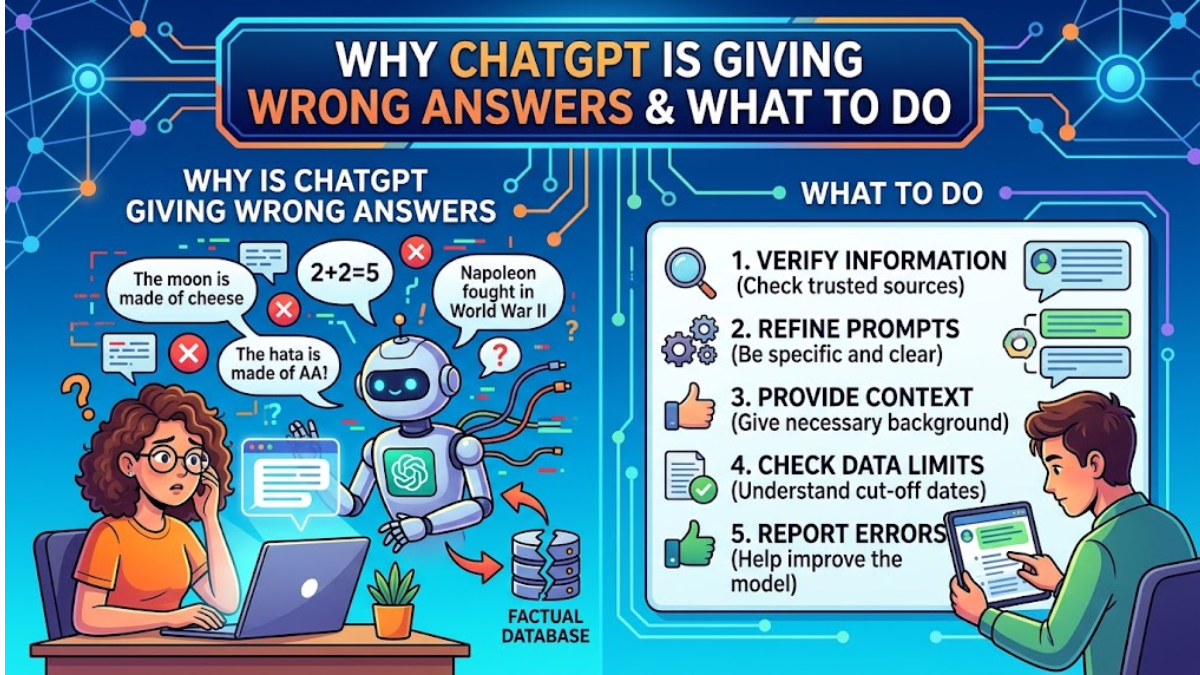
The Real answer about Why ChatGPT Is Giving Wrong Answers, If you’ve spent any real time using ChatGPT, you’ve probably hit a moment where it confidently told you something that turned out to be completely false.
Maybe it invented a statistic, misquoted a law, fabricated a book title, or gave you code that simply doesn’t run. This isn’t a rare glitch — it’s a well-documented behavior pattern, and understanding why it happens is the first step to working around it.
This article breaks down the real reasons ChatGPT produces incorrect answers, how to spot them before they cause problems, and practical steps you can take to get more reliable results.
Why ChatGPT Is Giving Wrong Answers
1. It Predicts Words, It Doesn’t “Know” Facts
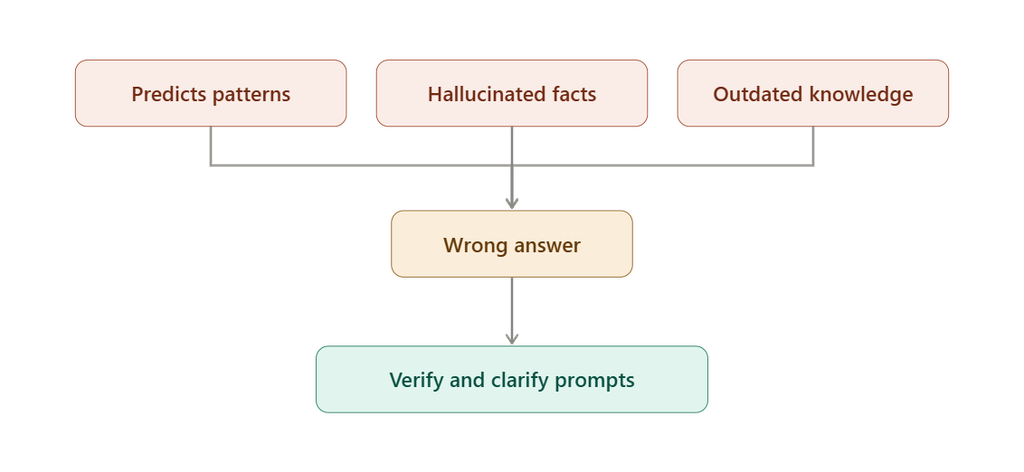
ChatGPT is built on a large language model (LLM), a system trained to predict the most statistically likely next word in a sequence based on patterns learned from massive amounts of text. It doesn’t have a built-in database of verified facts that it looks up and reports. Instead, it generates text that sounds correct based on patterns it has seen before.
This means ChatGPT can produce fluent, grammatically perfect, highly convincing sentences that are factually wrong. The model isn’t lying in the human sense — it has no concept of truth or falsehood. It’s simply generating the most probable continuation of your prompt, and probability doesn’t always align with accuracy.
2. Hallucinations Are a Built-In Limitation
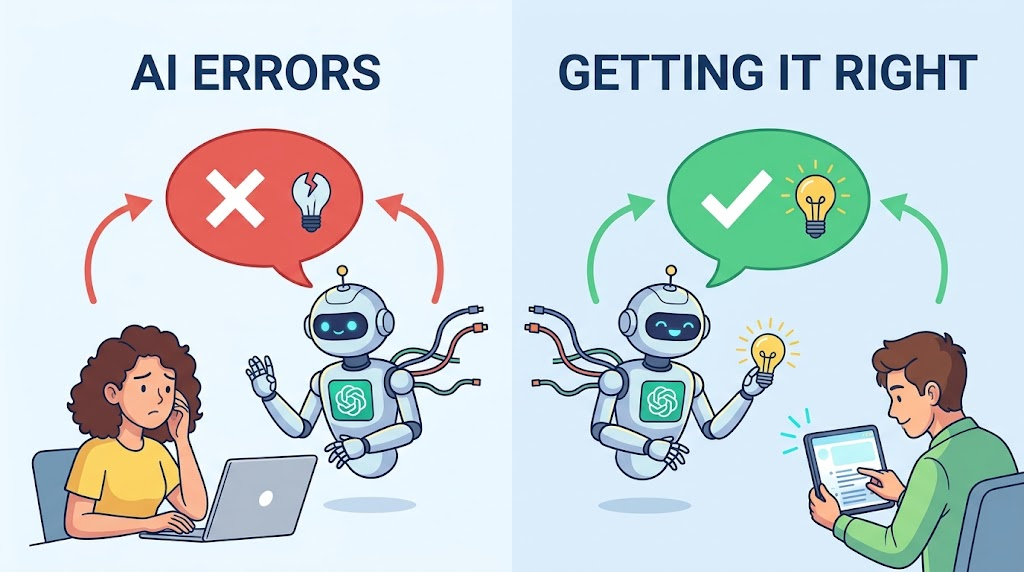
The term “hallucination” refers to when an AI model generates information that sounds plausible but is entirely fabricated — a fake citation, a nonexistent research paper, a made-up historical date, or a person who doesn’t exist. Hallucinations happen because the model fills gaps in its knowledge by generating text that fits the pattern of a correct answer, even when it has no real basis for the claim.
Hallucinations are especially common when:
- You ask about very specific or niche facts (obscure statistics, exact dates, small details)
- You ask for citations, sources, or references
- You ask about very recent events
- The topic requires precise numerical or legal accuracy
- The prompt itself contains a false premise, which the model may unknowingly validate
3. Outdated or Limited Training Data
ChatGPT’s knowledge comes from data it was trained on up to a specific cutoff date. Anything that happened after that point — new product releases, current events, updated regulations, recent research — is outside its knowledge unless the model has live web browsing enabled and actually uses it. Without real-time access, ChatGPT may confidently answer questions about “the latest” version of something using outdated information, without flagging that its knowledge might be stale.
4. Ambiguous or Poorly Structured Prompts
A huge percentage of “wrong answers” aren’t actually the model failing — they’re the result of an unclear question. If your prompt is vague, contains multiple possible interpretations, or lacks context, ChatGPT has to guess what you meant. It will often pick the most statistically common interpretation, which may not be the one you intended.
For example, asking “What’s the tax rate?” without specifying a country, income bracket, or year forces the model to assume details you never provided — and those assumptions can easily be wrong for your specific situation.
5. Bias in Training Data
Because ChatGPT learns from huge datasets scraped from books, websites, and other text sources, it inherits whatever biases, errors, and inconsistencies exist in that data. If a piece of misinformation was repeated frequently across the internet, the model may have absorbed it as a common pattern and reproduce it as if it were fact.
6. Overconfidence in Tone
One of the most frustrating aspects of ChatGPT’s mistakes is that it rarely sounds unsure. Even when generating a hallucinated fact, it typically uses the same confident, authoritative tone as when it’s correct. This is a byproduct of how the model is trained — it optimizes for fluent, natural-sounding responses, not for calibrated uncertainty. Humans are used to picking up on hesitation or hedging as a signal of doubt, but ChatGPT doesn’t reliably provide that signal unless specifically prompted to.
7. Math and Logic Errors
Despite being excellent at language tasks, ChatGPT can still make basic arithmetic or multi-step logical errors, especially with large numbers, complex word problems, or long chains of reasoning. Because it generates answers token by token based on patterns rather than performing calculations the way a calculator does, small errors can compound across a longer problem.
8. Context Window Limitations
ChatGPT can only “remember” a limited amount of text at once — this is called the context window. In long conversations, earlier details can get pushed out or diluted, causing the model to contradict something it said earlier, lose track of instructions, or blend details from different parts of the conversation incorrectly.
How to Spot a Wrong Answer
Before you can fix the problem, you need to recognize when it’s happening. Watch for these red flags:
- Suspiciously specific details — exact statistics, quotes, or citations that you can’t independently verify
- Names of studies, books, or sources you’ve never heard of in a well-covered field
- Answers that don’t match well-known facts you already know to be true
- Inconsistent answers when you ask the same question a different way
- Overly confident language on topics that are genuinely uncertain or debated
- Fabricated URLs or broken links
If any of these appear, treat the answer as unverified until you check it against a reliable source.
What to Do About It
1. Verify Anything That Matters
Never treat ChatGPT as a primary source for facts that carry real consequences — legal advice, medical information, financial figures, academic citations, or technical specifications. Cross-check important claims against authoritative sources: official documentation, peer-reviewed research, government websites, or subject-matter experts.
2. Give Clear, Detailed Prompts
The more specific your prompt, the less room the model has to guess. Include relevant context: the country, date range, industry, audience, or format you need. Instead of “Explain inflation,” try “Explain how inflation is calculated in the US using the Consumer Price Index, in simple terms for a high school student.”
3. Ask ChatGPT to Show Its Reasoning
Prompting the model to “think step by step” or explain its reasoning before giving a final answer often improves accuracy, especially for math, logic, and multi-step problems. This forces the model to work through the problem more explicitly rather than jumping straight to a plausible-sounding conclusion.
4. Use Web Browsing or Plugins When Available
If your version of ChatGPT supports live web browsing or search integration, use it for anything time-sensitive or fact-dependent. This allows the model to pull current information instead of relying solely on its training data.
5. Ask for Sources — Then Verify Them
You can ask ChatGPT to cite sources, but don’t assume those sources are real or accurately represented. Search for the source independently to confirm it exists and says what ChatGPT claims it says.
6. Break Complex Questions into Smaller Steps
Long, multi-part prompts increase the chance of errors compounding. Breaking a complex task into smaller, sequential questions makes it easier to catch mistakes early and keeps the model focused.
7. Cross-Check with a Second Source or Model
If accuracy is critical, compare ChatGPT’s answer against another AI model, a search engine, or a trusted reference. Discrepancies are a strong signal that something needs closer verification.
8. Regenerate the Response
If an answer seems off, try regenerating it or rephrasing your question. Because the model’s output involves an element of randomness, asking the same question differently sometimes produces a more accurate or more cautious answer.
9. Use Custom Instructions or System Prompts
If your platform allows custom instructions, you can explicitly tell ChatGPT to express uncertainty when it isn’t confident, avoid fabricating citations, and flag when a topic may be outside its training data. This won’t eliminate errors, but it can reduce overconfident hallucinations.
10. Treat ChatGPT as a Draft Tool, Not a Final Authority
The most reliable mental model for using ChatGPT is to treat it as a fast first draft generator or brainstorming partner, not a fact-checked reference. Use it to structure ideas, summarize information, or generate a starting point — then apply human judgment and verification before treating anything as final.
The Bigger Picture
ChatGPT’s tendency to produce wrong answers isn’t a bug that will simply disappear with the next update — it’s a fundamental characteristic of how large language models work. They are pattern-generation systems, not fact-retrieval systems, and even with improvements to accuracy, hallucinations and errors are likely to remain a feature of the technology for the foreseeable future.
That doesn’t mean ChatGPT isn’t useful — far from it. It’s an incredibly powerful tool for writing, brainstorming, coding, summarizing, and explaining concepts. But its usefulness depends on how you use it. The people who get the most value from ChatGPT are the ones who understand its limitations, verify important information, and use clear, well-structured prompts to guide it toward better answers.
Used with the right expectations and a healthy dose of verification, ChatGPT becomes a genuinely valuable assistant. Used blindly, it can just as easily mislead you with total confidence. Knowing the difference is what separates effective AI users from frustrated ones.
1 thought on “Why ChatGPT Is Giving Wrong Answers and What to Do”